
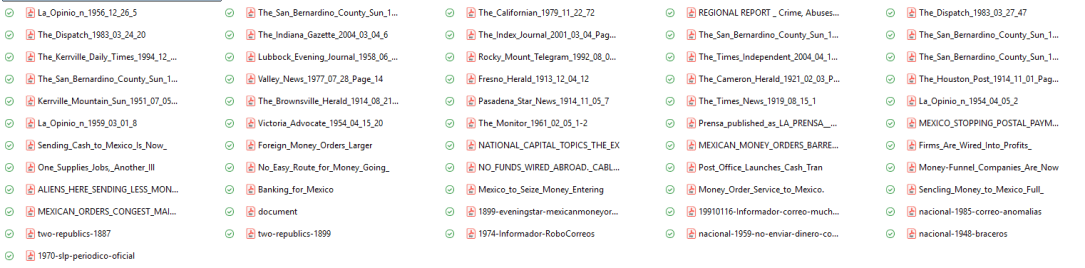
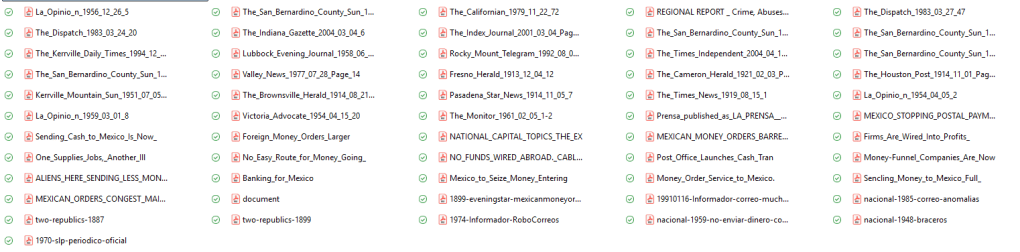
Do you also have messy folder of PDFs that you need but can’t bring yourself to deal with?
I first worked with digitized historical newspaper databases as a PhD student in the 2010s, and I immediately loved the satisfaction. What’s available to researchers continues to grow, and it makes historical projects like the ones I take on, with big time spans and few “events,” needle-in-a-haystack kind of topics, still feasible to research in the confines of my finite human life. I always tell my history methods students that digital newspaper sources are an ideal starting point for your research because they are low-hanging fruit, accessible when and where it’s convenient to you (unlike the archive). You get smarter from newspapers and figure out how to target your work in the archives.
I do not tell my students how fun I think it is to trawl for historical news, but my nerdiness surely shows through. It’s exciting. You log in, you find the right keyword, you find a juicy article, and the fruit of your perfect search term appears. It’s yours to pick from the digital periodical tree. You put the fruit in your basket. That is, you saved the PDF. Now you’ve got it. Or do you actually have an atrocious barrel of rotten apple PDFs?
When you remember that article about that one guy from that one paper, does this memory figment have any relationship to the filename a7b56h20-19160912-inf-00006? Wait, that does not jog your recall? You might end up in a situation like I did: tons of PDFs, no idea what is in them, and no desire to open them up.
I started working on my new big project a little over a year ago, and for months, I would search for newspaper articles often and save them into one unorganized folder. I felt too lazy to always rename them, but even if I did, it was just to put the date or page number and maybe a key word for myself–nothing systematic. Then, when it came time to write a conference paper in which these newspaper items were actually my key primary source, I found myself processing dozens of PDFs (in an unappealing cascade of Adobe tabs) at the same time that I was trying to analyze, weave into a narrative, and cite properly. I got through it, but I started to wonder if there was another way. My newspaper collection kept growing. The overwhelm of a messy folder of PDFs started to dampen my enjoyment.
I pinpointed a few problems.
There were more interesting data, discourse, and images in these sources than I could keep in my working memory. I did not really know what I had downloaded. All kinds of things came to my mind when I saw juicy articles, but I never noted those thoughts in any way. There is a personal quirk at work: This girl just wants to gather and not inventory when in a gathering state of mind.
But the freewheeling gathering yielded chaos. Because different digital newspaper databases generate filenames or embed crucial metadata in different ways (some in a helpful way, others not at all), my big folder was unorganizable in its current state. However, I did not want to manually rename the files (weirdly, not a fan of this activity), and maybe there was no way even for a really well conceived file-naming system to keep track of all I wanted to remember about the item.
And when writing later on, I wanted to be able to draft and flow, without opening a million PDFs just trying to find things, and also to be cite articles easily (I love Zotero for secondary sources but do not use it for primary sources) without searching for page numbers, italicizing periodical names, etc.
So I developed a spreadsheet in Excel that would allow me to bring some order to this post-gathering, pre-writing moment of research. My system had to keep track of what I had, process it, and have material ready for me-the-writer to use, at a later date.
Before I share my system, I have to say: one of the first people I described it to said, “This sounds like the perfect use for AI.” To which I said, “not to me!” True, there is a little bit of data entry involved that AI might do well enough (or not–OCR capture is not that great, especially with older and/or poorly scanned periodicals). But I am fine with doing some of my own data entry alongside the most important parts of processing, which I believe, vainly or wrongly or not, require my idiosyncratic curiosities and judgments and words. So this is a purposely-not-AI approach that still allows for systematization and use of tools, and it might not be the most fast or efficient workflow.
But it makes me willing to process my research. Before, I liked locating and liked writing about newspaper sources, but the stuff in between the hunt and the narrative was loathsome. Now it is easy to do in small chunks. I decided in August that I wanted to log 2 items every day. I don’t always manage it, but when I do, I often do 3 or 4 because I get curious about what is in my messy folder! Each time I log an item, I move it from the messy folder to the “Indexed” folder. I find the 2-item-logging challenge to be an appealing work appetizer to start my day that I am even up for doing later in the evening if I missed it in the morning.
Rachel’s Historical Newspaper Logging System
The system is that each newspaper item gets a row in my Excel spreadsheet. Columns are organized into three big groups: Citation, Processing, and Research Path. I don’t mind telling you that I color coded them because you already realized that’s the kind of person I am. Anyway, within the each group, each column organizes different kinds of information, some of which is more narrative and some of which is actually sortable.

The first group is Citation, and each piece of what will be needed in a future citation is separated into its own column. This makes it easy to copy/paste all the information, in the right order, by selecting a few adjacent cells. I even formatted the newspaper title column to use italics, so I don’t have to do that after every time I copy later on. But it’s also helpful to separate out the citation so I can use Excel’s sorting or counting capabilities. Right now, I sort the whole spreadsheet by the date column to keep all my items organized chronologically (ahhh…). But I can always re-sort to focus on a specific newspaper, or certain state, etc. I could even sort it to focus on items with a particular word in the title using the “COUNTIF” function.

The next group is Processing. This is where work beyond rote data entry goes in. I created some basic, sortable categories for the country, language, and type of item (e.g. local, syndicated, editorial, ad). I note if the piece comes with any images, and if so, I describe what those images are. Later on, I might want to focus on opinion pieces or ads or consider some images for a publication. But the cells I spend the most time on are note-taking, brainstorming categories: Content (what does the item say, in more or less detail, with quotes or not), Analytic use (what could I use this content for in future writing), and Questions raised (what does this bring to mind for me, or make me wonder about as a future research query).
These three categories, which might be phrased or divided otherwise but are working for me this way so far, get me to actually learn what is in the source and identify what seems important about the source and say it. The space for questions, perhaps counterintuitively, helps to not immediately go down research rabbit holes since I am noting my questions rather than trying to answer them before I forget them. My hope, and I will have to report back on this, is that when I am writing, I may not always need to open up the PDF to get what I need because I will have a lot of good material in this Excel to draw from, and I will be able to find it quickly.

On that note, the last group is Research Path. The purpose to record how I found the source and how I can find it again in my own collection. I note what database I got the source from (unfortunately, I don’t always know since I was a sloppy PDF downloader), what the filename is, and the date that I logged the item. By copying the existing filename into the Excel, I don’t have to rename it. Later, as needed, I can simply search for it to get to the PDF. The last column is just for other stuff I don’t typically include, but I use it rarely. If I find myself using it often, that might mean I should add a new column.
That’s my system! What do you think? Tell me about your system or your messy folder! Send me an email, or find me on socials:
Bluesky: @rachelgracenewman.bsky.social
Instagram: @rachelgnew
LinkedIn: https://www.linkedin.com/in/rachel-grace-newman-a29a1a4a/

